
My Timber Pets Tools
Checklists and spend order. No fake calculators with invented prices.
This hub holds practical tools for My Timber Pets. The game does not publish a public formula sheet for tree prices or roll pity, so you will not find a pretend DPS calculator with made-up coefficients. You will find a progress checklist and the decision rules that sit behind it.
If you want letter grades, use the tier list hub. If you want the loop in prose, use how to play. Tools are for ticking boxes between AFK blocks.
What is here
- Progress checklist — session, island, and roster boxes you can run through in two minutes.
- Spend order (below) — a pocket version of the upgrades tier list.
- Session timer ideas — how long to stay in-client versus going idle.
We will add a real calculator only if WingBrain publishes numbers worth computing. Until then, the HUD /s counter is the calculator.
Pocket spend order
- Assign animals (free).
- Spend if carry is capped.
- Buy the next staffed forest tree if affordable.
- Buy chop speed or carry on crew.
- Buy a floor only when the current story is full.
- Short roll burst; assign winners; stop (rare animals).
- Leave AFK (AFK farm).
If a code drops, inject the reward at step 2 or 3, not at step 5.
Session lengths that work
| Time you have | Do this |
|---|---|
| 2 minutes | Restaff, spend cap, quit |
| 10 minutes | One forest or crew buy, tiny roll burst |
| 20 minutes | Staff a new floor if you just unlocked one |
| Overnight | Checklist green, then close or idle |
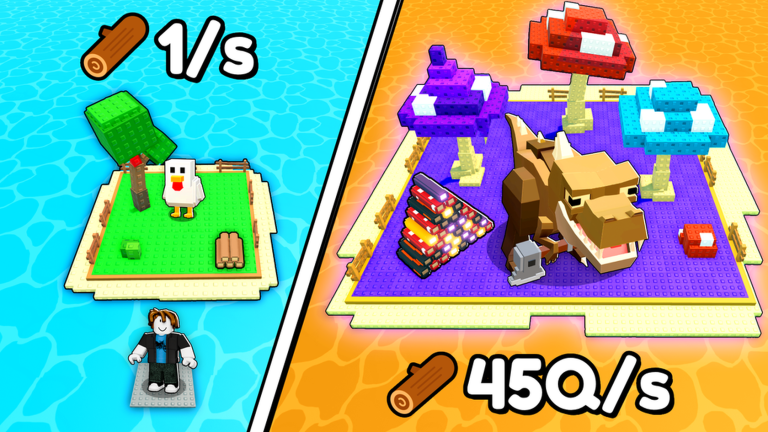
You do not need a 2-hour grind. The genre is idle. Long sessions are for people who enjoy watching mushroom trees, not for people who need 45Q/s tomorrow.
Tools we will not ship
- A pity tracker with a fake 1/67Qn counter. Official art used that number as a thumbnail, not as a datamined table.
- A script injector. See scripts and script safety.
- A trade value list. There is no documented bazaar.
- A copy of another game’s lumber calculator.
If a community spreadsheet appears with live tooltip dumps, we will link it from the links hub after we verify it is this place ID.
How to use tools with the rest of the wiki
New player: Getting Started then the checklist. Stuck income: upgrades tier list then forest or crew guide. New silhouette: animal index then best crew. Patch day: updates then checklist (assignments break).
Print the checklist or keep the tab open on a phone. Tick boxes honestly. A floor you cannot staff does not count as done. A fox in storage does not count as assigned. The tool only works if the island in-game matches the paper.
Frequently Asked Questions
Quick answers for My Timber Pets on Roblox.
Is there an XP or damage calculator?
No published formula. Use the in-game logs-per-second counter. The progress checklist tracks actions, not hidden math.
Can I use a script as a tool?
Not recommended, and no dedicated script was listed on 1 Sep 2026. Read script safety.
What should I open during a short session?
The checklist and the codes hub if a drop is live. Then get back on the island.